

Product Categories
- > Digital Textile Printer
-
- Fedar Sublimation Textile Printer
FEDAR FD61916E Sublimation Printer FEDAR FD1924 Sublimation Printer FEDAR FD1912S Sublimation Printer FEDAR FD61915E-A Sublimation Printer FEDAR FD5198E Sublimation Printer FEDAR FD51915E Sublimation Printer FEDAR FD53215E Sublimation Printer FEDAR FD61915E Sublimation Printer FD6198E 8 Heads Printer FD6194E 4 Heads Printer FD5194E 4 Heads Printer FD5328E 3.2m Printer FD5193E 3 Heads Printer FD5268E 2.6m Printer FD1900 2 Heads Printer
- Fedar DTF Printer
FD11308 DTF Printer FD1808 DTF Printer FDA3 Pro DTF Printer A3 DTF Printer FDA3 DTF Printer FD70-5 DTF Printer FD60 DTF Printer FD70-4 DTF Printer
- Aulane DTF Printer
Aulane AL2808 DTF Printer Aulane AL2606 DTF Printer Aulane AL2604 DTF Printer Aulane AL2602 DTF Printer Aulane AL2302 DTF Printer Aulane AL2301 DTF Printer
- Fedar Sublimation Textile Printer
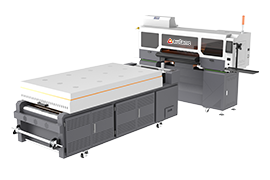
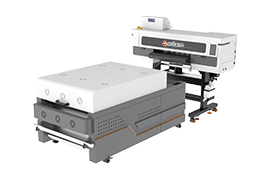
High-Temperature Maintenance Guide for Fedar Sublimation Printer & Textile Printer
2026-05-131. Strictly Control Temperature & Humidity
The precision electronics and printheads of any sublimation printer or textile printer are highly sensitive to the environment.
Optimal temperature: 18°C – 30°C (64°F – 86°F)
Optimal relative humidity: 35% – 65%
Action points:
Keep the workshop well-ventilated; use exhaust fans, industrial air coolers, or constant-temperature air conditioners.
Avoid direct sunlight on the machine.
On humid or rainy days, turn on dehumidifiers to prevent moisture from entering the cabinet, which can cause short circuits or oxidation of circuit boards.
Place a thermo-hygrometer in the workshop and monitor conditions in real time.
2. Ensure Proper Heat Dissipation
High temperatures demand excellent airflow around your Fedar textile printer.
Do not place the printer flush against a wall.
Keep the top of the machine and the area around ventilation grilles free of fabrics, consumables, or debris.
Blocked air ducts create hot spots that accelerate component ageing.
3. Protect the Printhead – The Heart of Your Sublimation Printer
Printheads are the most critical part of any sublimation printer or direct-to-textile machine. In hot weather, ink evaporation speeds up, leading to dry nozzles, uneven ink ejection, misting, and dripping.
Routine care:
Perform an automatic printhead cleaning cycle before each day’s first print and after the last print.
If the printer will be idle for more than a day, seal the capping station properly to keep the printhead moist.
Store ink cartridges away from heat and direct sunlight; high temperatures alter ink viscosity and degrade colour accuracy and flow stability.
4. Electrical Safety & Circuit Inspection
Summer increases the electrical load in any print shop. Heat accelerates the ageing of cable insulation, raising risks of leakage, short circuits, or fire.
Regularly inspect the power cord and internal wiring for cracks, wear, or loose connections.
Have a qualified electrician replace any damaged components immediately.
Never connect unauthorized temporary wiring or overload power strips.
5. Daily Cleaning & Mechanical Care
Dust, lint, and paper fibres accumulate on guide rails, chassis, and platen.
Clean guide rails regularly to keep them lubricated and smooth, reducing mechanical wear.
Check printhead status, machine body temperature, and the dryer/heater setting every day.
Lower the dryer power setting if possible – reducing extra heat sources helps the whole system stay cooler.
6. Final Words: More Care, Less Downtime
By paying attention to temperature & humidity, heat dissipation, printhead maintenance, electrical safety, and daily cleaning, you can:
Stabilise print quality
Reduce consumable waste
Extend the life of your Fedar sublimation printer or Fedar textile printer
Ensure efficient, trouble-free summer production
A little extra preventive work now will save you from unexpected breakdowns later. Keep your digital textile printer cool, clean, and protected – and it will reward you with consistent, high-quality output all summer long.